How it works
- Type the output column of your truth table, bottom row first.
- Press Start: TerraBool lists every cheapest circuit.
- Open one to see it tile by tile, then download it as a TEdit schematic and paste it into your world.
Not sure what to type?
Several outputs, one module
- Add one truth table per output. All need the same length and the same don't cares.
- Press Start: modules come best first (no diodes, then fewest lamps).
- Flip through them, download the TEdit schematic, and check the build details below each picture.
How to use
Why
Terraria wires don't power a device, they toggle it. Two wires joined together act like an XOR gate for free, so a circuit built around XOR needs far fewer gates and lamps than one built from a textbook formula. TerraBool searches for those circuits.
Entering a truth table
Type the output column f of the truth table as one string, bottom row first. 2, 3 or 4 inputs need 4, 8 or 16 characters; the field gets a ✓ at a valid length. Use 0, 1, or x (any lower case letter) for a don't care. The table here is entered as xxx0011011001100.
| A | B | C | D | f |
|---|---|---|---|---|
| 0 | 0 | 0 | 0 | 0 |
| 0 | 0 | 0 | 1 | 0 |
| 0 | 0 | 1 | 0 | 1 |
| 0 | 0 | 1 | 1 | 1 |
| 0 | 1 | 0 | 0 | 0 |
| 0 | 1 | 0 | 1 | 0 |
| 0 | 1 | 1 | 0 | 1 |
| 0 | 1 | 1 | 1 | 1 |
| 1 | 0 | 0 | 0 | 0 |
| 1 | 0 | 0 | 1 | 1 |
| 1 | 0 | 1 | 0 | 1 |
| 1 | 0 | 1 | 1 | 0 |
| 1 | 1 | 0 | 0 | 0 |
| 1 | 1 | 0 | 1 | x |
| 1 | 1 | 1 | 0 | x |
| 1 | 1 | 1 | 1 | x |
Single: one output
Every cheapest expression is listed; pick one to see its module drawn tile by tile beside the list. They all cost the same, so pick whichever fits your build.
Some functions need two gates whose outputs share a wire. These are listed in two columns: pick one from each, and the module for that pair is drawn beside them.
Reading an expression
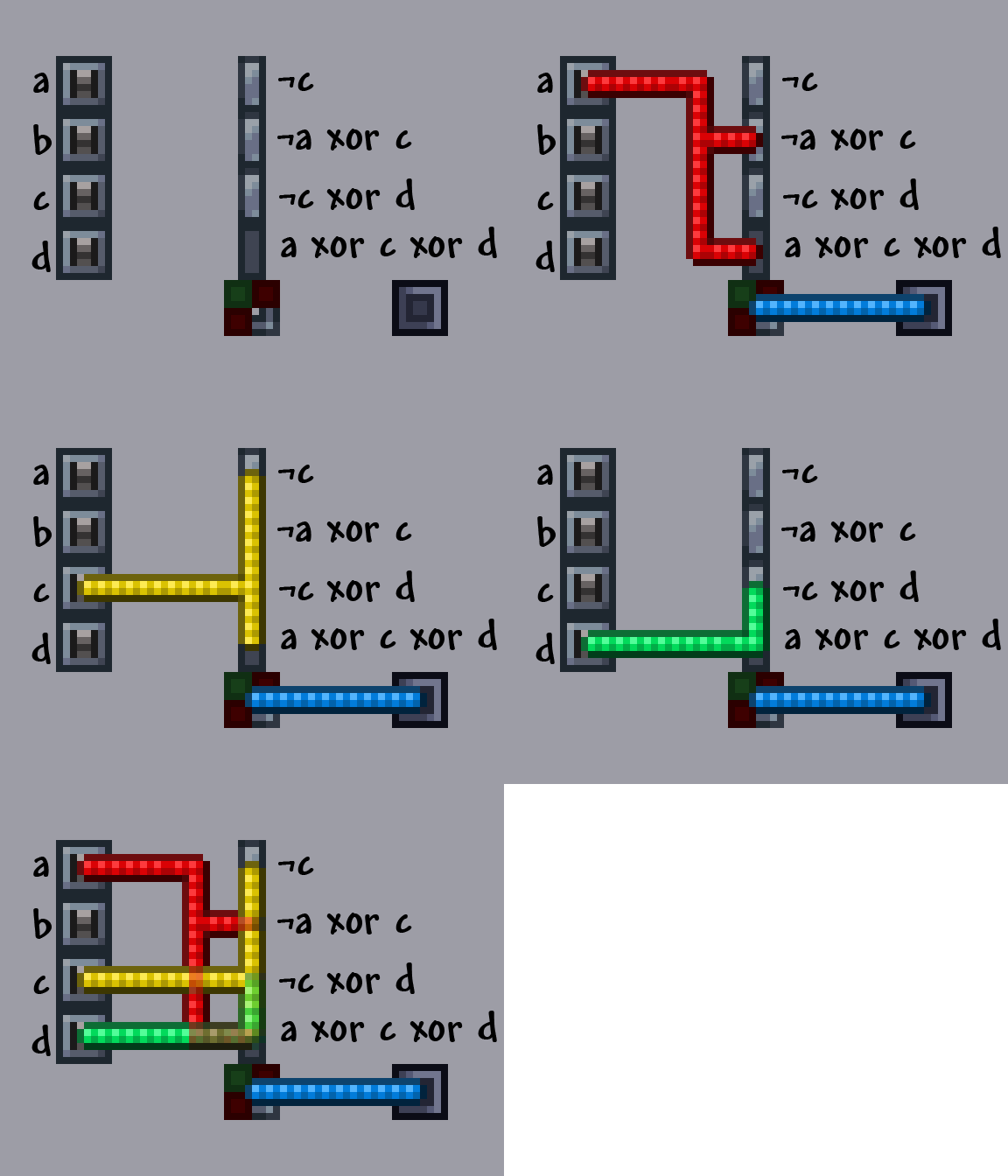
⊕ (¬c, ¬ac, ¬cd, acd)
- The symbol is the gate: ∧ is an AND gate, ⊕ an XOR gate (on when exactly one lamp is on). A ¬ before it inverts the output: the output is off while the gate is on.
- Each term is one lamp, wired to the inputs it names. Letters written together (acd) are wires joined on one lamp, which XORs them.
- A ¬ before a term means that lamp starts on.
Multi: several outputs sharing gates
Add one truth table per output (pasting several lines adds them all). They must have the same length and the same don't cares. Gates are shared between outputs: an output wired to several gates is their XOR. Advanced → Stop after sets how many wired modules to find; while it runs, the counter shows how many were verified, marked for validation and total checked.
Results come best first: every output on its own wire (no diodes), then one colour per wire, then fewest lamps. Each result shows its lamp and diode badges, the module and a TEdit download; the wire list, the gates with their lamps and the matrix are under Build details.
A result marked Wiring not verified ran out of search time. Try wiring again searches it again with no time limit; Abort stops that.
Reading a module picture
- Wire colours are inputs, entering at the top: red = a, blue = b, green = c, yellow = d.
- Lamps stack on their gate (G), the bottom lamp on the gate tile. Outputs (O) sit at the bottom.
- Lit tiles show the state with every input off: build them that way.
- An empty column only carries input wires into lamps from the side.